



Tech
Client setup
Settings for the old Dota 2 6.84 client. Camera distance, useful commands, and more.
Set the upper FPS limit (fps_max 0 to remove the limit completely)
Do not return the camera to base on respawn
Disable screen shake
Camera speed (default 3000)
Camera acceleration (default 49)
Disable camera zoom
Finishing off allied creeps with right-click
Automatic right-click repeat
Disable minimap click delay
Increase hero icons on the minimap
Quick attack
Move direction
Ability range
- Find fileDota 6.84/dota/bin/client.dll
- We make a copy of this file just in case; if we make a mistake you can always restore the original version
- Open it with Notepad++ or another text editor/decompiler
- We search for 1134 - this is the standard camera height. ВАЖНО! We need two values in the search: next to it will be dota_camera_pitch_max
- Change to the required distance (up to 1400) and save. We recommend a camera height of 1285 for those who find it very unfamiliar.
- Save the file, restart the client - the camera height should change
- Here's the ready fileclient.dllThe file needs to be replaced in the game folder
- Enable the self-casting by double-tap option

- In the 'Casting' tab set 'Key + ALT', switch to 'Quick casts' and set the same key
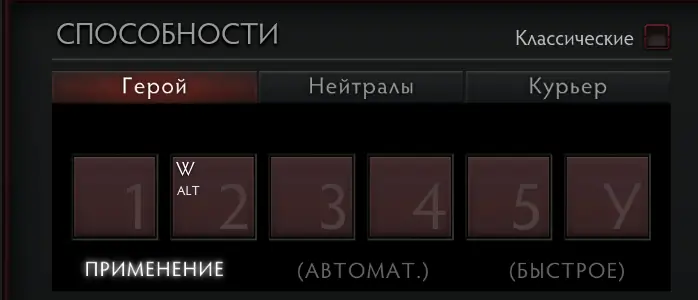
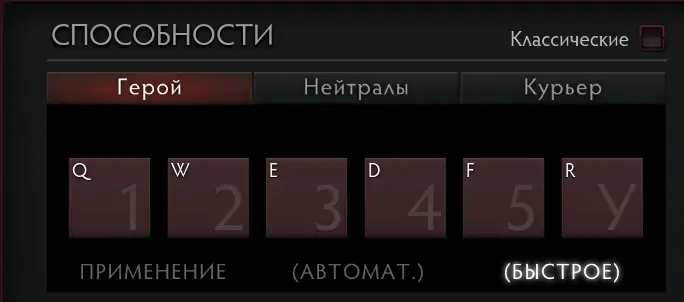
This console command speeds up self-casting by double-tapping with Alt (do not set below 0.2!)
For color selection you can use rgbcolorpicker.com
For your team
Red color
Green color
Blue color
For the enemy team
Red color
Green color
Blue color
Neutrals
Red color
Green color
Blue color